

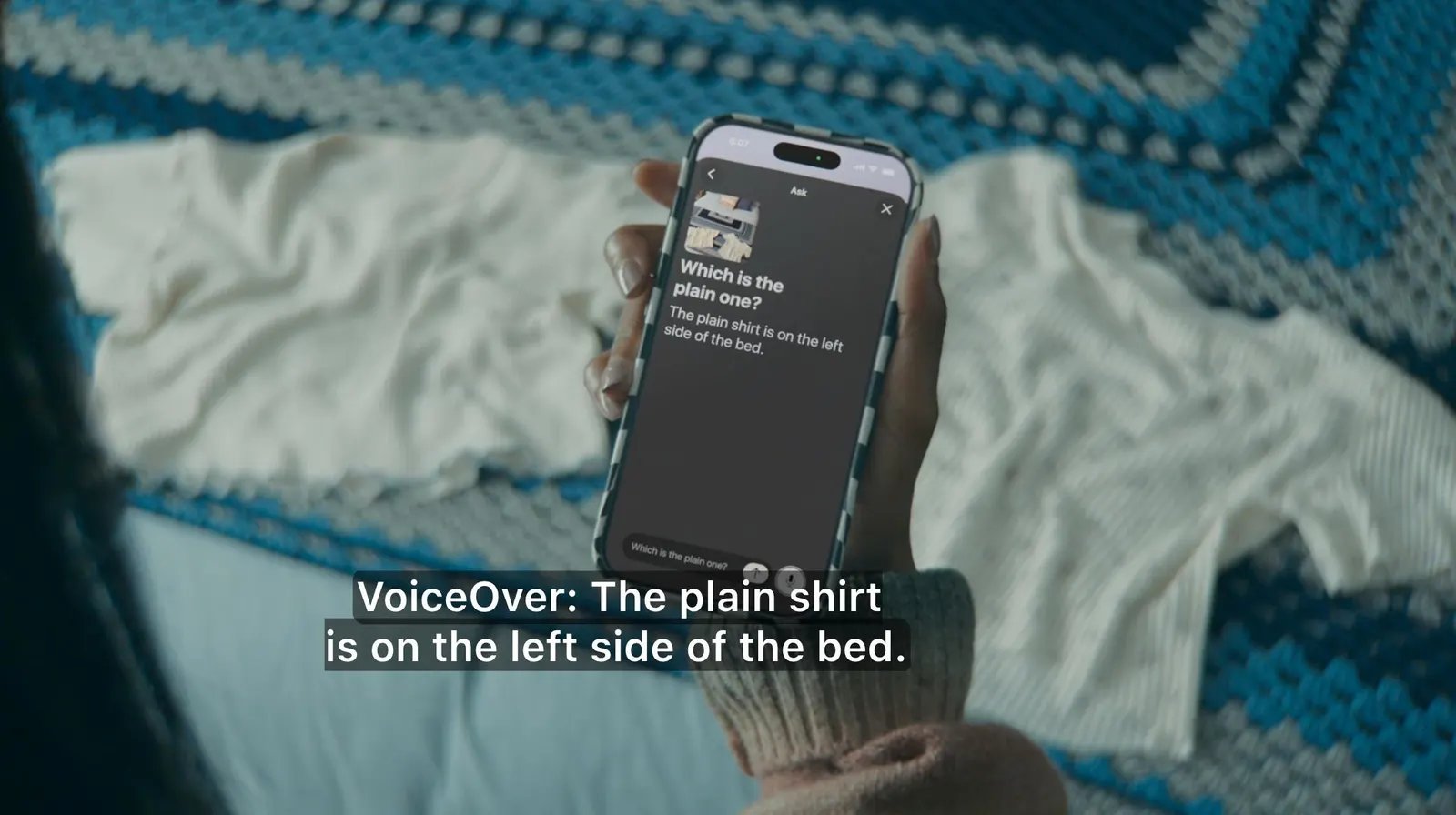
VoiceOver is more powerful than ever in helping users who are blind or have low vision explore their surroundings and onscreen images, says Apple.
Apple
Apple Intelligence might have been underwhelming at launch but it has improved over time and is now being used to make tech more accessible. Today, Apple announced a bunch of new accessibility features coming to VoiceOver, Magnifier and more later this year. This preview comes ahead of the Global Accessibility Awareness Day on Thursday, as Apple gears up for WWDC 2026.
The Cupertino-based company is using AI to make its products more helpful for people with a range of disabilities. Starting with VoiceOver Image Explorer, it can be used to produce more detailed descriptions of images throughout the system. This includes descriptions in photos, scanned bills, as well as personal records.
Apple is also expanding VoiceOver capabilities, so you can ask questions about your surroundings with the press of the Action button. It will also support follow-up questions in natural language. Similarly, Magnifier will also be accessible via the Action button and support spoken commands like “zoom in” or “turn on flashlight.”
The company is also adding natural language input to Voice Control, so you can describe onscreen elements conversationally. For instance, you can say, “tap the purple folder,” rather than memorizing exact label names or numbers. It is also said to help when on-screen elements lack proper accessibility labels.
Apple is also enhancing Accessibility Reader, a feature it announced last year on the iPhone, iPad, Mac, and Vision Pro. And this year, it will get support for more complex document layouts (like those with multiple columns, images, and tables) and built-in translation, which will retain your custom font, color, and formatting preferences.
Apple will also add the ability to automatically transcribe spoken audio in uncaptioned videos, including clips recorded on iPhone, received from friends and family, or streamed online. This feature will initially roll out in English in the US and Canada and will be available across the iPhone, iPad, Mac, Vision Pro, and Apple TV.
Vision Pro users will be able to control their power wheelchair with a new eye-tracking feature. They won’t require a joystick, as it’ll allow them to use eye gaze to select controls and determine wheelchair movements. Separately, visionOS will also get Vehicle Motion Cues, a feature meant to help reduce motion sickness when using Vision Pro as a passenger in a moving vehicle.
The company will also expand its Name Recognition feature, which can alert users who are deaf or hard of hearing if someone says their name, across more than 50 languages globally.
“Apple’s approach to accessibility is unlike any other,” said the Apple CEO, Tim Cook. “Now, with Apple Intelligence, we are bringing powerful new capabilities into our accessibility features while maintaining our foundational commitment to privacy by design.”
Apple announced the Hikawa Phone Grip and Stand for the iPhone late last year. It was designed using input from people with a range of disabilities, which affect grip, strength, and mobility. It is now getting three new colors as part of a collaboration between Hikawa and PopSockets. The accessory is now available for purchase through Apple’s website.
