


But hey, who cares? If we are going down in flames as a species, let’s have fun putting dumb videos together. I’ll tell you how to do it in this short guide on how to make Seedance 2.0 videos. Time to roll up for a Magical Mystery Tour. Step up right this way!
Signing up for Higgsfield
To use Seedance 2.0, you first need to sign up for Higgsfield. This platform is essentially a unified digital workspace that wrangles multiple artificial intelligence video engines—like Seedance, Veo, and Kling—into a single interface. Instead of paying for a dozen disjointed subscriptions, you get a centralized dashboard to use them all.
To get started, you have to create an account and subscribe to either the Business ($49 billed monthly) or Ultra ($84) tier. If you happen to live outside the U.S. or Japan, prepare to jump through one extra hoop by verifying a corporate email address to unlock the model.
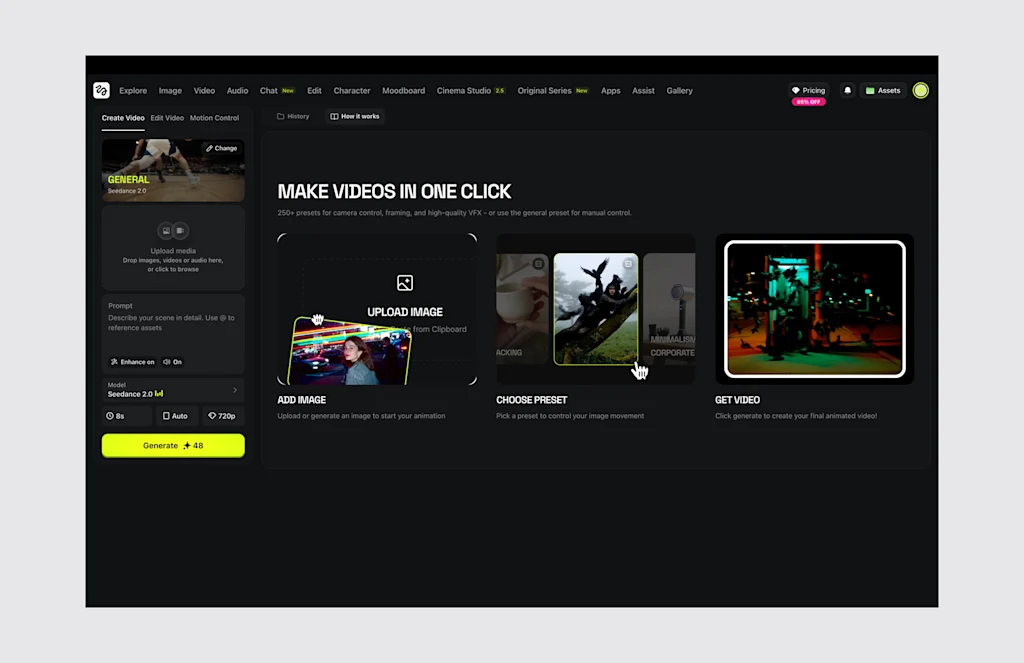
Generating content on this platform runs through the typical credit economy. A standard 5-second clip rendered at 720p resolution burns 30 credits. Each credit costs from $0.04 to $0.08, depending on your subscription plan. To “celebrate” the End of Reality as We Know It, the company is currently offering 65% off at sign-up offer to lessen the initial financial blow.
How Seedance 2.0 works
Once you are in, you can select Seedance 2.0 from the main dropdown menu. Seedance 2.0 is multimodal, which means it accepts up to 12 simultaneous media inputs. You can upload nine static reference images, three distinct video snippets capped at 15 seconds each, and three audio tracks. It then spits out video shots (at 480p, 720p, 1080p or 2K resolution with upscaling) that max out at 15 seconds per generation.
The model puts everything together, constructing the visuals, building up the characters (and maintaining coherent appearance between shots), moving the camera per your instructions, and syncing sound and speech at the exact same millisecond. The result is flawless lip-syncing and accurate spatial noise without needing a dedicated post-production pass (although professionals will actually integrate the results into dedicated editing software like Adobe Premiere).
