

This story appears in the
July 2026
issue of
Entrepreneur.
Ultimately, the biggest promise of technology is to give us back time. By making our lives more streamlined, we can get things done more quickly, and spend more time doing whatever we love. Of course, it doesn’t always work that way. But these tech tools make traveling while working easy, so you get more time to do what you love while the weather is warm.
1. A more mobile mouse.
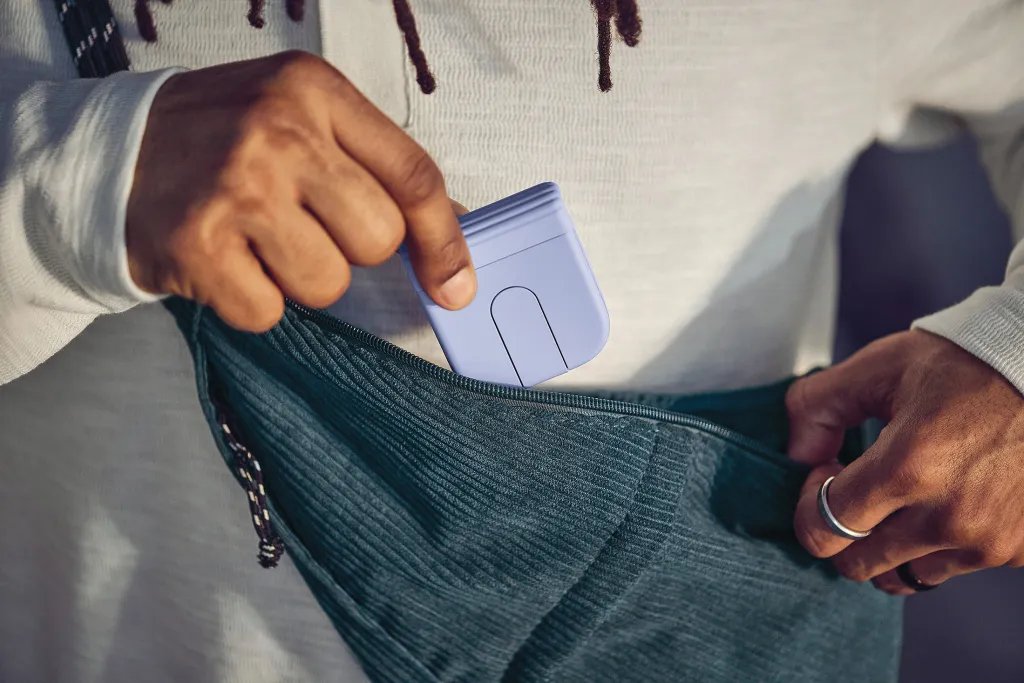
Do you use a mouse but hate to travel with it? The Logitech Mobi Fold Mouse [$80; logitech.com] packs easily, turning cramped work setups into something closer to a regular desk experience. This Bluetooth mouse delivers full cursor control in a compact, travel-ready design that, at about the size of a deck of cards, slips into a bag or pocket. Pivot it open to reveal the familiar left- and right-click layout. A touch scroll replaces the traditional wheel, reducing the risk of breakage. It pairs with up to three devices, lasts up to 32 days on a charge, and noticeably speeds up multitasking on the go.
Image Credit: Logitech
2. Travel-ready screens.
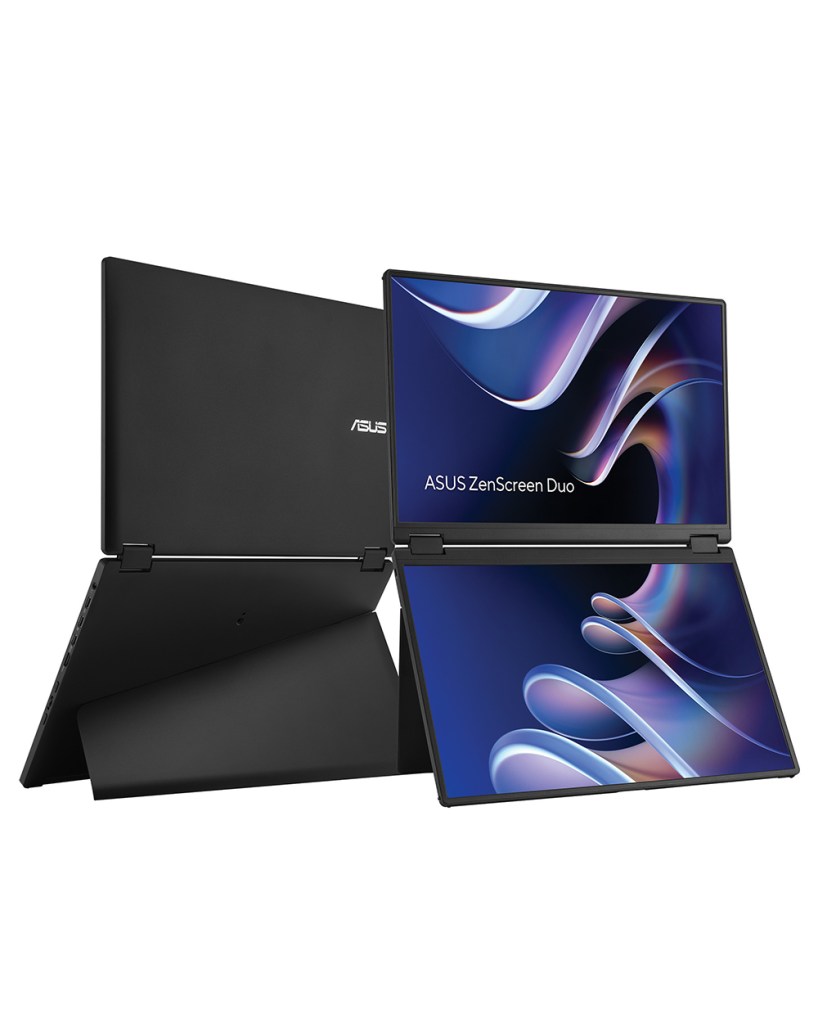
One of the biggest productivity upgrades you can make is adding more screen space. The Asus ZenScreen Duo MB14FCD [$349; asus .com] makes it easy: It packs two 14-inch IPS displays into a portable package that folds shut like a laptop and unfolds into either tent mode (to share a screen with a colleague) or dual-screen mode (to give you a 20-inch-tall workspace all to yourself). Instead of constantly toggling between windows, you can keep email on one display and documents on the other. USB-C and mini-HDMI connectivity make setup simple from anywhere.
Image Credit: Asus
3. An on-brand mic.
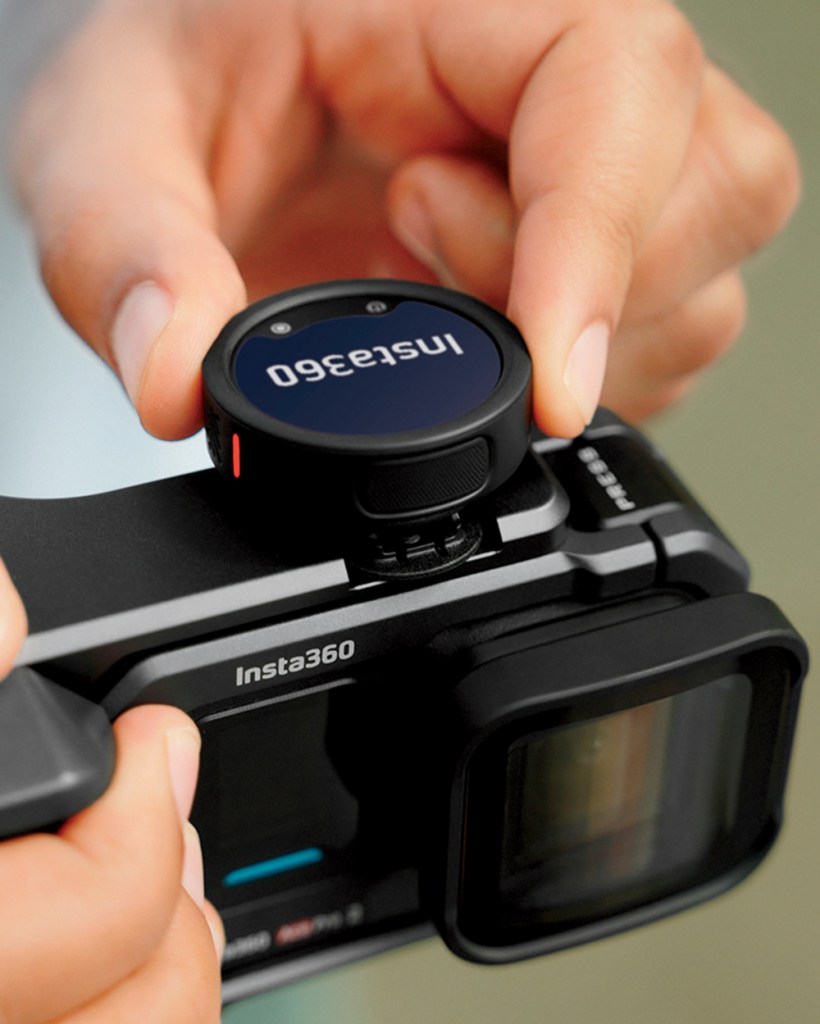
Most content creators hold (or wear) a tiny black microphone. The Insta360 Mic Pro [from $100; insta360 .com] turns that mic into a branding opportunity — using its 1.25-inch color e-ink display to show logos or custom graphics. Inside, its transmitter uses 32-bit float recording, a triple-microphone array, and AI-powered noise reduction to keep audio clean even in crowds or wind. Each unit also includes internal storage and timecode support, making multi-camera workflows more reliable and providing a built-in backup of every take without extra gear.
Image Credit: Insta360
4. Note-taking earbuds.
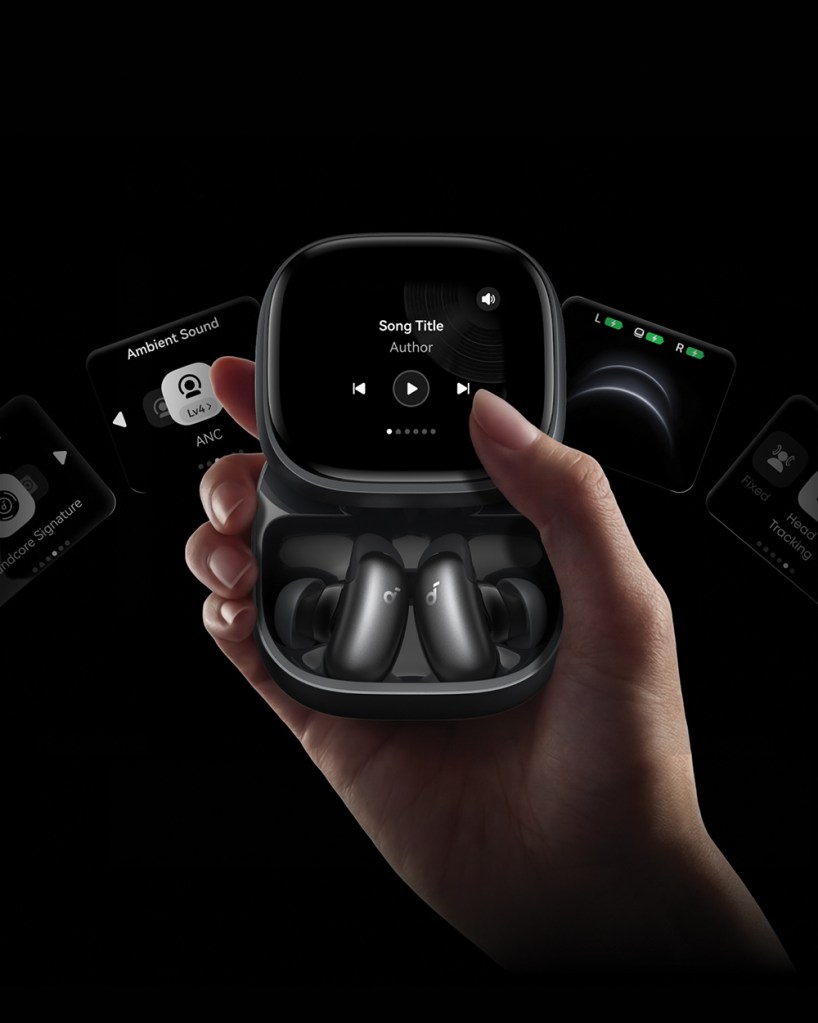
Your earbud case is probably already in your pocket — so it might as well do more than just charge. The Soundcore Liberty 5 Pro Max [$230; soundcore.com] pairs earbuds with a smart case that uses AI to turn meetings and brainstorming sessions into searchable, structured notes without breaking your focus. A built-in microphone captures in-person conversations and syncs them to the Soundcore app (it includes 120 minutes of transcription per month for the first two years, then subscriptions start at $8.33/month). The case’s touchscreen allows you to control media playback from your streaming service.
Image Credit: Soundcore
5. Confidential computer.

If you work in public, your screen is more visible than you realize. A privacy filter like the SightPro Magnetic Privacy Screen [from $28; sightpro.com] helps keep sensitive emails, financial information, presentations, and client work visible only to the person directly in front of the display. Unlike older filters that relied on adhesive and often looked ugly, the SightPro attaches magnetically, snapping on in seconds and removing just as easily, without blocking your webcam. That makes it ideal for travelers and remote workers who only need privacy some of the time. Models are available for most MacBooks and Surface laptops with 12- to 16-inch screens.
Image Credit: SightPro
Ultimately, the biggest promise of technology is to give us back time. By making our lives more streamlined, we can get things done more quickly, and spend more time doing whatever we love. Of course, it doesn’t always work that way. But these tech tools make traveling while working easy, so you get more time to do what you love while the weather is warm.
1. A more mobile mouse.
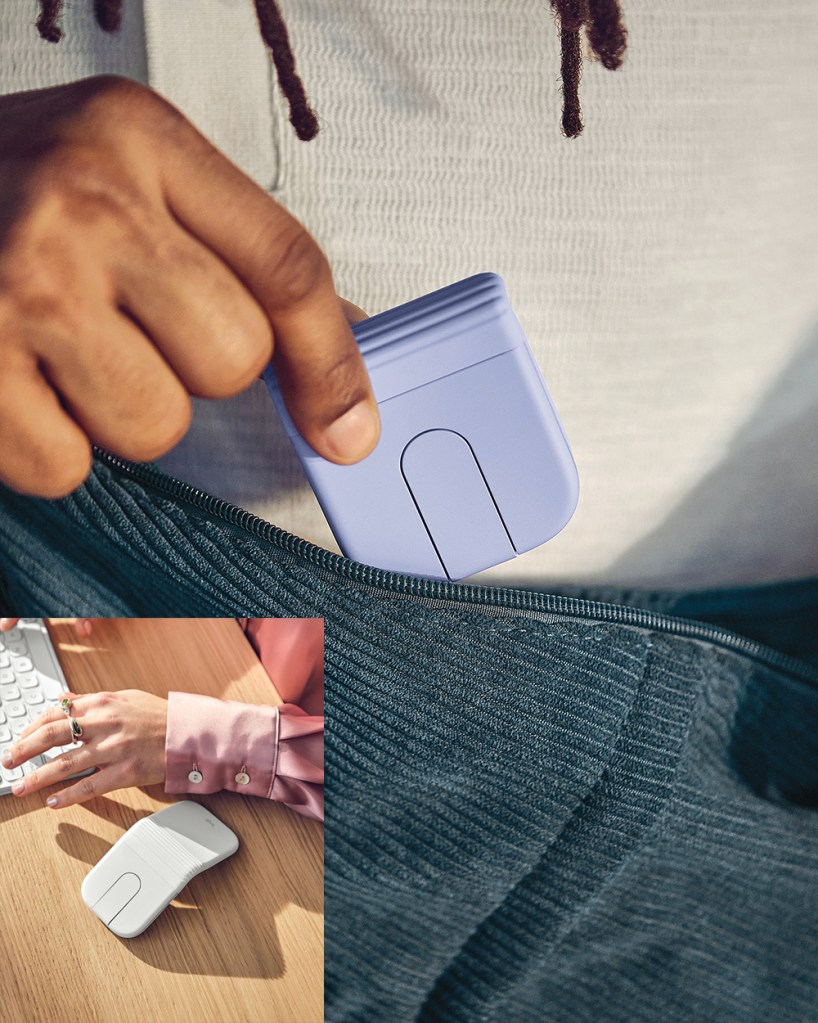
Do you use a mouse but hate to travel with it? The Logitech Mobi Fold Mouse [$80; logitech.com] packs easily, turning cramped work setups into something closer to a regular desk experience. This Bluetooth mouse delivers full cursor control in a compact, travel-ready design that, at about the size of a deck of cards, slips into a bag or pocket. Pivot it open to reveal the familiar left- and right-click layout. A touch scroll replaces the traditional wheel, reducing the risk of breakage. It pairs with up to three devices, lasts up to 32 days on a charge, and noticeably speeds up multitasking on the go.
Image Credit: Logitech
2. Travel-ready screens.
One of the biggest productivity upgrades you can make is adding more screen space. The Asus ZenScreen Duo MB14FCD [$349; asus .com] makes it easy: It packs two 14-inch IPS displays into a portable package that folds shut like a laptop and unfolds into either tent mode (to share a screen with a colleague) or dual-screen mode (to give you a 20-inch-tall workspace all to yourself). Instead of constantly toggling between windows, you can keep email on one display and documents on the other. USB-C and mini-HDMI connectivity make setup simple from anywhere.
Image Credit: Asus
3. An on-brand mic.
Most content creators hold (or wear) a tiny black microphone. The Insta360 Mic Pro [from $100; insta360 .com] turns that mic into a branding opportunity — using its 1.25-inch color e-ink display to show logos or custom graphics. Inside, its transmitter uses 32-bit float recording, a triple-microphone array, and AI-powered noise reduction to keep audio clean even in crowds or wind. Each unit also includes internal storage and timecode support, making multi-camera workflows more reliable and providing a built-in backup of every take without extra gear.
Image Credit: Insta360
4. Note-taking earbuds.
Your earbud case is probably already in your pocket — so it might as well do more than just charge. The Soundcore Liberty 5 Pro Max [$230; soundcore.com] pairs earbuds with a smart case that uses AI to turn meetings and brainstorming sessions into searchable, structured notes without breaking your focus. A built-in microphone captures in-person conversations and syncs them to the Soundcore app (it includes 120 minutes of transcription per month for the first two years, then subscriptions start at $8.33/month). The case’s touchscreen allows you to control media playback from your streaming service.
Image Credit: Soundcore
5. Confidential computer.
If you work in public, your screen is more visible than you realize. A privacy filter like the SightPro Magnetic Privacy Screen [from $28; sightpro.com] helps keep sensitive emails, financial information, presentations, and client work visible only to the person directly in front of the display. Unlike older filters that relied on adhesive and often looked ugly, the SightPro attaches magnetically, snapping on in seconds and removing just as easily, without blocking your webcam. That makes it ideal for travelers and remote workers who only need privacy some of the time. Models are available for most MacBooks and Surface laptops with 12- to 16-inch screens.
Image Credit: SightPro
